fas REWARDS®
- 3.4
- Rating
- 500.00K
- Installs
- Free
- Price

 Analysis by App-foxy
I approached fas REWARDS® as someone who regularly stops at participating fas locations and wants a less messy way to keep track of rewards. It is a free Food & Drink app from Rovertown, and its purpose is straightforward: bring the rewards experience into one place instead of making me rely on paper receipts, memory, or a separate note on my phone.
That simplicity is both its appeal and its limitation. This is not a broad restaurant-discovery tool or a general budgeting app. It is built around the fas REWARDS® program, so its usefulness depends heavily on whether I already shop at the associated locations. When that starting condition is right, the app can make routine purchases easier to organize. When it is not, there is little reason to keep it installed.
From a routine purchase to a more organized rewards habit
I look at a rewards app differently from a shopping app: it earns its place when it saves a little effort during a purchase I was already making. In the next section, I’ll focus on the practical rhythm of using fas REWARDS® and how a small bit of preparation can make that routine feel less scattered.
You May Also Like

 Blood Strike: 2.5 Anniversary
Blood Strike’s Loadouts Turn Every Drop Into a Tactical Gamble
A close look at Blood Strike’s custom loadouts: how fast access to signature weapons reshapes its battle royale rhythm, rewards preparation, and narrows the gap between fights.

 Pandora - Music & Podcasts
Pandora’s Music Is Easy to Start, but Harder to Recover
Pandora’s strength is its low-effort path from a seed to a station. Its weak spot is how much confidence it asks you to place in connection, setup, and quiet recovery.

 8 Ball Pool
 Is Built on Rivalries, Rematches, and Routine
A close look at the rivalries, rematches, shared routines, and unanswered safety questions that turn a quick pool match into a persistent mobile community.

 Samsung Music
’s Quiet Strength Is Playing What You Already Own
Its reach comes less from spectacle than from dependable access to a personal library. That simplicity is both the app’s strongest retention engine and its ceiling.

 AccuWeather: Weather Radar
AccuWeather Review: A Quick, Clear Forecast for Everyday Decisions
For everyday plans, the best forecast is the one you can understand quickly. AccuWeather makes rain timing, radar, and local conditions easy to act on, with a few trade-offs.

 Hill Climb Racing
Why Hill Climb Racing Still Turns Crashes Into One More Run
A tiny car, a bumpy hill and one more upgrade: Hill Climb Racing keeps resurfacing because its simple chaos makes every near-miss feel personal.
More From Our News Desk
View All News


Before installing, the most important question is where you shop
The first decision is not about phone storage, notifications, or interface preferences. It is whether fas REWARDS® fits my normal routine. If I rarely visit fas locations, I would skip it, because a rewards app only earns its place when I can use it repeatedly. Occasional visitors may still find it useful, but the benefit will be modest compared with someone who makes regular stops for drinks, snacks, fuel, or other everyday purchases.
The app is available at no charge, which makes trying it low-risk. It is also intended for a Teen audience, and the current version is 43.01.07. Compatibility reaches back to Android 7.0, so people using an older Android phone may still be able to install it. I would still check the experience on the actual device before depending on it during a busy stop, especially if the phone is several generations old.
Its presence on Android is substantial, with over 500 thousand installs, while the average rating sits at 3.3 from around 5 thousand ratings. I read that combination as a useful warning to keep expectations practical: the app clearly serves a real audience, but it is not something I would assume works perfectly for every person or every visit.
The first setup should be treated as part of the purchase workflow
Once installed, I would set it up before arriving at the counter or checkout. That sounds obvious, but rewards apps are most frustrating when registration, sign-in, or account recovery happens while someone is waiting behind me. The better approach is to open the app at home, move through the account steps calmly, and make sure I understand where the rewards information appears before I need it.
I would also keep the phone charged and avoid treating the app as my only record of an important reward. A digital rewards account is convenient, but convenience works best when the account details are already accessible and I am not trying to solve a technical problem at the register. This is one of the less visible habits that makes a bigger difference than simply downloading the app.
After setup, I would spend a minute looking for the main rewards area and learning how the app presents progress or available benefits. The exact screen flow can change between releases, but the useful principle remains the same: know whether I am checking a balance, showing an account, or looking for an offer. Those are different tasks, and confusing them can slow down a purchase.
Using it during an ordinary fas stop
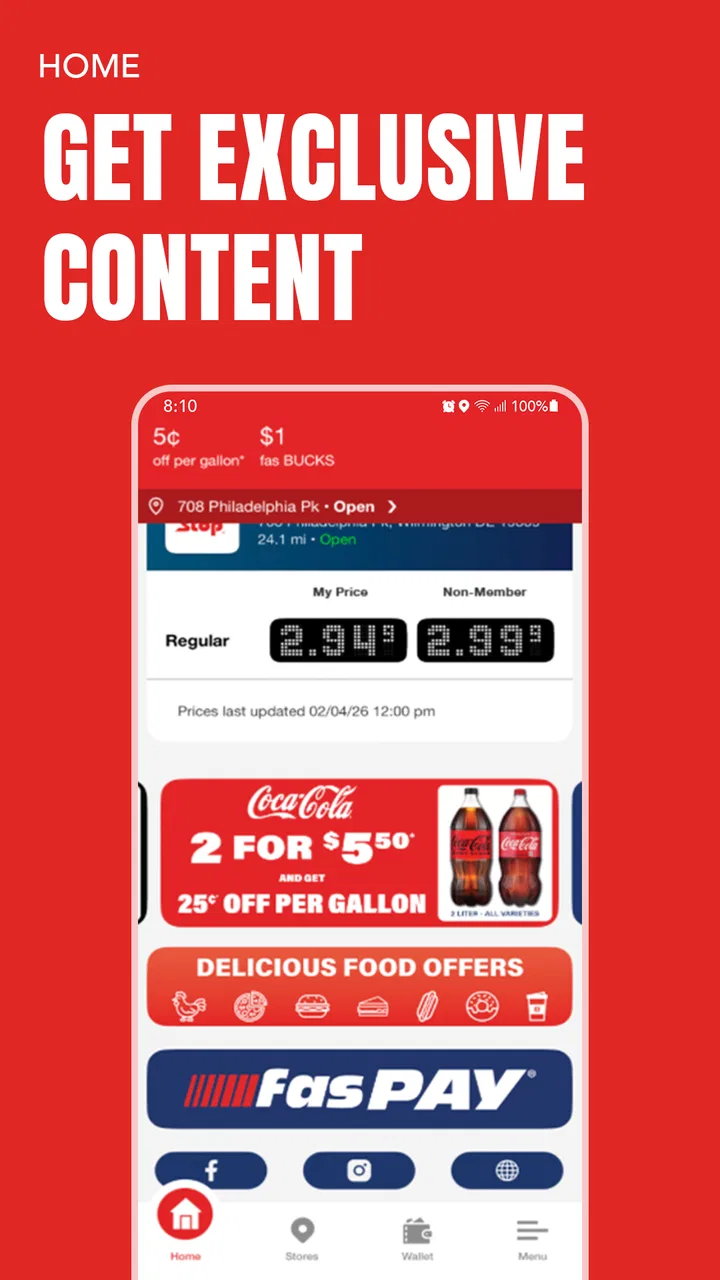
A realistic use case is a weekday morning when I am already stopping at a fas location. Instead of opening the app only after paying, I would launch it before reaching the counter. I would check the account section first, then follow whatever in-app process is required to connect the purchase with my rewards activity. If the visit involves a digital identifier or another handoff at checkout, having the relevant screen ready matters more than browsing around at the last moment.
The key advantage is continuity. Rather than trying to remember whether a previous visit counted, I can use the app as the central place for the rewards relationship. That is more practical than keeping receipts in a wallet or writing down visits in a notes app, because those alternatives separate the record from the program that actually recognizes it.
I would not assume that opening the app automatically completes every step. Rewards systems often depend on the customer presenting the right account information at the right point in the transaction. The safest routine is to confirm that the account is visible before payment and then check the result afterward when the app reflects the activity. If something looks wrong, it is easier to address the issue while the receipt and visit are still fresh.
The handoff between phone and checkout is where discipline helps
fas REWARDS® is useful only when the digital account and the physical purchase meet successfully. That handoff is the heart of the workflow. I may begin with the app, move to a cashier or checkout screen, and return to the app to see the resulting rewards activity. Each transition creates a chance for confusion, especially if I am switching between a payment app, a store screen, and the rewards account.
My practical advice is to separate those jobs. First prepare the rewards screen. Then complete the purchase. Finally return to the app and verify what happened. Trying to do all three at once is more likely to produce a missed scan, a closed screen, or uncertainty about whether the visit was recognized.
This also explains why the app may feel excellent on a quiet visit and awkward during a rush. The underlying idea is simple, but the customer still has to coordinate a phone with a real-world transaction. People who dislike using their phone at checkout may prefer a physical loyalty card or a program that is automatically attached to a payment method, if such an alternative is available to them.
Keeping rewards organized over time
The strongest reason to keep using the app is not one isolated purchase. It is the accumulation of small records that would otherwise be easy to forget. I can return to the same rewards location in the app instead of searching through email, receipts, screenshots, and unrelated loyalty programs. That centralization is especially helpful for people who visit more than one fas location and want one consistent place to check their account.
A useful habit is to check the app at a natural pause rather than repeatedly refreshing it after every action. For example, I would review it after leaving the store or later that day, unless I needed to confirm something immediately. This reduces unnecessary fiddling and gives the transaction time to settle in the account view. It also makes the app feel like a record-keeping tool instead of another screen demanding attention during the purchase.
Another worthwhile habit is to use the rewards information when deciding whether a planned stop makes sense, rather than making an extra purchase solely to chase a benefit. The app can organize rewards, but it should not encourage spending that I would not otherwise make. That is an important trade-off with any loyalty program: the convenience is real, yet the reward is only valuable if the underlying purchase already fits my needs.
What the app does better than ordinary alternatives
The usual alternatives are paper receipts, a plastic loyalty card, a phone note, or simply trusting memory. Each one has a weakness. Receipts can be lost, notes do not automatically connect to the program, and memory is unreliable when visits become routine. A physical card may be quick, but it does not give me the same central digital view of the rewards relationship.
Compared with a generic wallet app, fas REWARDS® has a narrower but more relevant job. A wallet can store passes or payment details, while this app is focused on the fas rewards experience itself. That focus is helpful when I want program-specific information, but it also means I should not expect it to replace every other loyalty tool on my phone.
Compared with a broad food-ordering or restaurant app, it is less about discovering meals and more about managing a particular customer relationship. Someone looking for menus, delivery, restaurant comparisons, or a wide selection of brands would be better served elsewhere. Someone who wants to keep fas rewards in one easy location is the person most likely to appreciate this app.
Small workflow choices that prevent common frustration
Open the app before arriving at the checkout area, not while the transaction is already moving.
Keep the account screen easy to reach so the handoff between phone and cashier is quick.
After paying, review the rewards activity at a calm moment and keep the receipt until the result looks right.
Use the app as the central rewards record, but do not treat it as a replacement for payment or receipt storage.
If the app becomes slow or confusing, finish the purchase first and troubleshoot afterward instead of blocking the line.
These are not flashy features, but they are the difference between a rewards app that quietly helps and one that becomes an annoyance. In my experience, the best use of fas REWARDS® is planned and brief: prepare, present, purchase, verify.
Where the flow breaks down
The biggest weakness is the dependency on a successful live handoff. If the phone is offline, the screen is hard to access, the account is not ready, or the checkout process does not recognize the rewards step, the app cannot magically repair the transaction. That is not a reason to reject it, but it is a reason to avoid relying on it without preparation.
The rating of 3.3 suggests a mixed experience across its audience. I would not interpret that as proof that the app is unusable; rather, it tells me to leave room for occasional friction. A rewards app is judged during short, time-sensitive moments, so even a minor sign-in problem or unclear status can feel more serious than it would in a slower app category.
The app may also be the wrong choice for people who want a single loyalty dashboard covering many unrelated brands. Its value comes from being specific to fas REWARDS®, not from acting as a universal rewards organizer. Adding it to a phone already crowded with separate brand apps may not feel worthwhile unless fas visits are frequent enough to justify another account and another checkout routine.
I would also skip it if I strongly prefer cash-based, phone-free shopping. The app is designed around keeping rewards digitally accessible, so its benefits are tied to using the phone as part of the visit. A physical alternative may be more comfortable for someone who does not want to unlock a device or manage an account during every purchase.
Who should install it, and who should pass
I recommend fas REWARDS® to regular fas customers who want their rewards activity kept in one place and are comfortable making the phone part of the checkout process. It is especially suitable for someone who makes repeated everyday stops and tends to lose track of paper records or scattered loyalty details.
I would be more cautious for occasional visitors, people seeking a general food app, and anyone expecting automatic rewards without actively presenting or checking the account. The free price makes experimentation easy, but free does not mean frictionless. The app still asks for a small amount of attention before and after a purchase.
Rovertown has built a focused tool rather than an all-purpose food platform. That focus is a strength when my needs match it. I do not need menus, delivery discovery, or a large restaurant directory from this app; I need a practical place for fas rewards. The narrower scope keeps the purpose understandable, even if it limits its usefulness outside that setting.
My final take after following the full journey
From installation to account setup, checkout, and later verification, fas REWARDS® makes the most sense as a companion to an existing shopping habit. It does not transform a routine visit, but it can remove the small uncertainty of wondering where rewards information lives or whether I am carrying the right record.
The best result comes from treating it as a prepared checkout tool, not a magic rewards button. Open it before the purchase, complete the handoff carefully, and check the outcome afterward. That workflow keeps its strengths visible while reducing the moments where the experience can break.
With a free download, support for Android 7.0 and later, and a clear Food & Drink focus, it is easy to try if fas is already part of my routine. I would not install it just because I want another food app, and I would not choose it over a broader loyalty solution if I need many brands in one dashboard. But for the right customer, it is a sensible way to keep fas rewards together and make repeated stops a little easier to manage.
FAQs for fas REWARDS®
01What is fas REWARDS® and how does it work?
fas REWARDS® is a loyalty app designed to help users earn points on purchases made at participating locations. By using the app, you can track your points, redeem rewards, and gain access to special offers. Simply scan your app at checkout to accumulate points and enjoy exclusive benefits.
02Is fas REWARDS® available for both Android and iOS devices?
Yes, fas REWARDS® is available for download on both Android and iOS platforms. You can find it on the Google Play Store for Android devices and the Apple App Store for iOS devices, ensuring a seamless experience regardless of your smartphone model.
03How can I redeem my points in the fas REWARDS® app?
Redeeming points in the fas REWARDS® app is straightforward. Navigate to the rewards section within the app to view available rewards. Select the reward you wish to redeem, and follow the instructions provided. Points can be exchanged for discounts, free items, or other exclusive offers.
04Are there any fees associated with using the fas REWARDS® app?
The fas REWARDS® app is free to download and use. There are no hidden fees or charges associated with signing up or earning points. However, standard data charges from your mobile carrier may apply when accessing or using the app.
05What should I do if I encounter issues with the fas REWARDS® app?
If you experience problems with the fas REWARDS® app, check for updates to ensure you have the latest version. If issues persist, contact customer support through the app or visit the fas REWARDS® website for further assistance. They offer support to resolve technical issues or answer any questions you may have.
Pros
- User-friendly interface for easy navigation.
- Offers a wide variety of reward options.
- Quick redemption process for rewards.
- Regular updates with new earning opportunities.
- Supports multiple languages for global users.
Cons
- Limited earning opportunities in some regions.
- Requires internet access for most features.
- Occasional ads can interrupt the experience.
- Some rewards have high redemption thresholds.
- Customer support response can be slow.

fas REWARDS®
Gallery